KYOCERA COPIERS & MULTIFUNCTION SYSTEMS
The right multifunction system for the way your office actually works.
Charlestowne Digital helps Charleston-area organizations select Kyocera A3 and A4 multifunction systems around real print volume, scanning, finishing, security and workflow requirements.
Start with the work—not the model number.
Before recommending equipment, we look at who uses it, what they print and scan, how much volume moves through the device, where documents need to go and what finishing features matter.
That lets us configure the system around your organization instead of forcing your organization around the system.

A3 Color MFPs
For offices that need color output, tabloid-size media, advanced finishing and broader document handling.
A3 B&W MFPs
High-productivity monochrome systems for document-heavy environments where speed and reliability matter most.
A4 Color MFPs
Compact multifunction devices for workgroups that need color, scanning and copying without A3 paper handling.
A4 B&W MFPs
Efficient monochrome print, copy and scan capability for individual departments and smaller workgroups.
Current Kyocera multifunction families
We focus on current Kyocera families and configure each system around your paper handling, finishing, scanning, security and workflow requirements.
TASKalfa MZ2501ci / MZ3501ci
A3 color MFPs for organizations that need 25–35 ppm, cloud-ready workflows, advanced scanning and flexible finishing.
TASKalfa MZ4001ci / MZ5001ci / MZ6001ci / MZ7001ci
40–70 ppm A3 color systems with high-speed duplex scanning, advanced finishing options and cloud-ready document workflows.

TASKalfa MZ4001i / MZ5001i / MZ6001i / MZ7001i
High-productivity A3 black-and-white systems for document-heavy departments that need robust scanning, security and finishing.

ECOSYS / TASKalfa A4 Color MFPs
Compact color MFPs including the ECOSYS MA4000cifx family for workgroups that need strong scanning, security and cloud integration without A3 paper handling.
ECOSYS A4 B&W MFPs
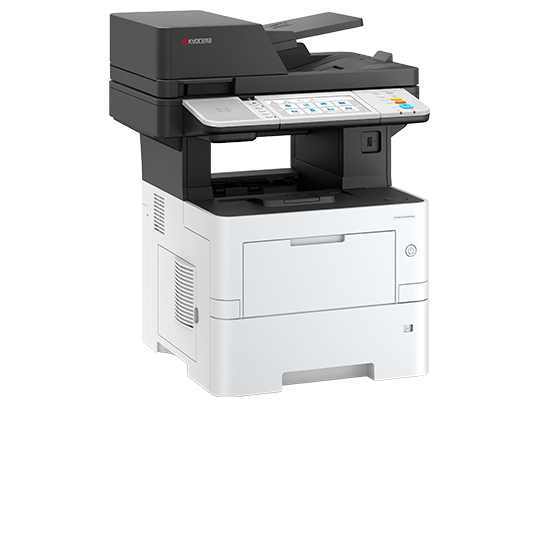
Efficient monochrome MFPs for departments, front offices and distributed locations where durability and low operating complexity matter.
Manage the Fleet
Kyocera Fleet Services gives us remote visibility into supported devices for meters, toner status, alerts and service insight.
Secure Print & User Control
MyQ adds authentication, secure release, rules, reporting and user-focused print management for organizations that need more control.
Capture & Cloud Workflow
Turn the MFP into a document-workflow entry point with scan routing, cloud capture and document-management options selected around your process.
Build the right Kyocera configuration.
Once we narrow the right device family, Kyocera’s official Product Configurator lets you select compatible document processors, paper sources, finishers, fax, connectivity and other options. We can review the finished configuration with you and provide local pricing, leasing, installation and service.
What we help configure
- Color or black-and-white
- A3 or A4 platform
- Monthly volume and speed
- Paper capacity and media sizes
- Stapling, booklet and finishing
- High-speed scanning and OCR
- Authentication and secure print
- Cloud and workflow integration
MORE THAN THE HARDWARE
Installation, supplies, service and workflow support stay local.
A copier is a long-term business tool. We stay involved after delivery with local service, supplies and support for the workflows built around the device.
Buying or leasing?
We can help compare purchase and lease structures after we determine which system actually fits your needs.
