
KYOCERA PRODUCTION PRINT SOLUTIONS
Kyocera Production Inkjet Printing for High-Volume Workflows
From transactional communications to personalized direct mail and commercial print. Explore the applications, production capabilities, and economics that make Kyocera production inkjet worth considering.
Charlestowne Digital helps evaluate your production print workflow—from monthly volume and paper handling to finishing, variable-data requirements, and total cost per job.
Applications for Production Inkjet Printing
Find your application: Production print begins with the documents your organization creates, not a specific piece of equipment.
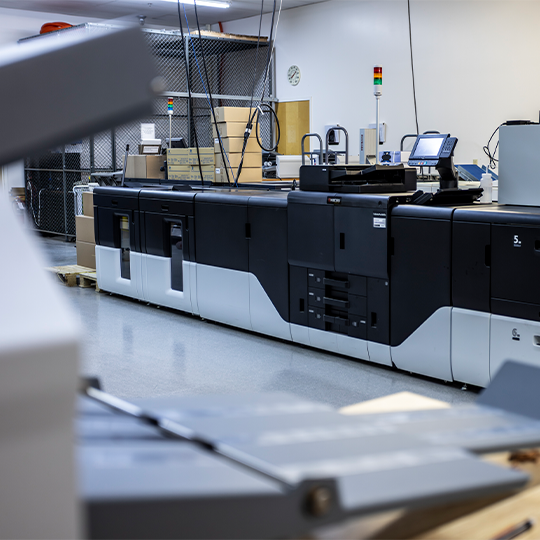
Real-world production printing
Built for active commercial print environments
See how a commercial print provider uses Kyocera’s TASKalfa Pro 15000c alongside its other production equipment to support customer work.
Explore Production Print Applications
Explore the documents, workflow requirements, and production opportunities behind each application.
Transactional Printing & Customer Communications
Statements, invoices, bills, customer notices, insurance explanations of benefits, financial correspondence, and time-sensitive personalized documents. Variable-data printing can customize each item across high-volume jobs.
Direct Mail & Personalized Marketing
Targeted campaigns, personalized letters, brochures, promotional offers, and other mail pieces. Digital printing supports smaller campaign runs, versioning, and variable data.
Publishing & Educational Materials
Short-run books, workbooks, manuals, course packs, instructional materials, newsletters, and on-demand publications. Evaluate finishing and binding alongside the print engine.
Commercial Print & Print-for-Pay
Recurring client jobs, short-run production, documents, catalogs, and variable-data output. Match paper, coverage, finishing, and throughput to customer requirements.
In-Plant & Central Reprographics
Corporate, college, government, and institutional print centers producing departmental communications, HR packets, training materials, forms, and operational documents.
Industries & Vertical Markets
Healthcare & Insurance
- Patient and administrative communications
- Insurance notices and explanations of benefits
- Training materials, forms, and print-center jobs
Education | K–12 & Higher Education
- Workbooks, course packs, and instructional materials
- District and campus communications
- Centralized print-center and departmental work
Finance & Professional Services
- Account statements and correspondence
- Recurring notices and reports
- Client communications and documentation
Government & Public Agencies
- Citizen notices and public information mailings
- Departmental forms, manuals, and training
- Central reproduction services
Marketing, Direct Mail & Commercial Print
- Personalized mail campaigns
- Short-run commercial jobs
- Catalogs, booklets, and customer materials
Production Inkjet vs. Toner-Based Presses vs. Offset Printing
Not every high-volume printing job calls for the same technology. Understanding the differences helps you choose the best equipment for your run lengths, media, finishing, deadlines, and overall costs.
Compared with Production Toner Devices
Production toner presses use electrophotographic imaging and heat to fuse toner onto paper. They can be an excellent choice for short runs, premium graphics, specialty substrates, and frequently changing jobs. Kyocera production inkjet uses precision piezo printheads to place water-based pigment ink directly onto supported media, avoiding a toner-fusing stage. For appropriate applications at sustained volume, this can mean competitive throughput, less fuser-related maintenance, and attractive operating costs. Results vary by equipment, image coverage, media, and workload.
Compared with Traditional Offset Presses
Offset presses use printing plates and press setup before a run. They can be highly economical for long, repeated jobs and offer extensive substrate and finishing choices. Cut-sheet production inkjet avoids plate setup and makes it practical to change content from sheet to sheet, making it particularly useful for variable-data communications, shorter runs, print on demand, and urgent production. Offset may still be the better choice for very long uniform runs or certain specialty applications.
How the Three Printing Processes Work
Each technology puts an image onto paper differently. This simplified process diagram highlights the main difference; actual equipment includes additional transport, drying, control, and finishing stages.
PRODUCTION TONER
Digital image
↓
Charged imaging drum
↓
Toner transferred to paper
↓
Heated fuser bonds toner
↓
Finished sheet
KYOCERA INKJET
Digital image
↓
Precision inkjet printheads
↓
Ink placed directly on paper
↓
Ink drying / paper transport
↓
Finished sheet
OFFSET PRESS
Prepared printing plate
↓
Ink applied to plate
↓
Image transferred to blanket
↓
Blanket transfers ink to paper
↓
Finished sheet
Illustrative process comparison, not a manufacturer engineering diagram. Inkjet production systems use drying and media handling rather than toner heat-fusing; offset printing transfers ink through a plate-and-blanket system.
Quick Technology Comparison
On a phone, swipe sideways to see all three printing technologies.
| Consideration | Production toner | Kyocera production inkjet | Traditional offset |
|---|---|---|---|
| Print process | Electrophotographic toner fused with heat | Digital ink droplets placed on supported media | Ink transferred through printing plates |
| Personalization | Excellent | Excellent | Generally requires separate digital steps |
| Job setup | Minimal | Minimal | Plate and press setup |
| Short runs | Excellent | Well suited | Typically less efficient |
| Long identical runs | Model and cost dependent | High-throughput capability | Often economical at scale |
| Media suitability | Depends on press and stock | Test inkjet-compatible stocks and coverage | Broad, press dependent |
| Best-fit examples | Short-run graphics and specialty jobs | Statements, direct mail, books, in-plant production | Long-run uniform commercial jobs |
The right choice depends on more than rated speed. We evaluate real-world monthly volumes, ink or toner coverage, paper costs, finishing, labor, and service requirements before recommending a production platform.
Read Kyocera’s discussion of production inkjet, toner and offset workflows.
Why Production Inkjet?
- High-volume digital production without conventional plate-based setup
- Variable-data customization and faster job changes
- Media-handling, stacking, and finishing configuration options
- Evaluate total cost across ink, substrate, labor, maintenance, and throughput
- Reduce dependence on office multifunction equipment for demanding production jobs
Explore Kyocera Production Print Systems
TASKalfa Pro 15000c — Color Production
Production capabilities at a glance
- Speed: Up to 146 letter-size impressions per minute
- Image quality: 600 × 600 or 600 × 1200 dpi resolution
- Capacity: Up to 14,310 sheets with optional feeding configuration
- Paper and media: Approved uncoated, inkjet-treated and inkjet-coated stocks; supported trays handle weights up to 360 gsm
- Production options: Vacuum-feed trays, high-capacity stacking, inline finishing and an optional oversize media path for sheets up to 48 inches
Paper capacity, finishing, media weights, and sheet sizes depend on installed options and approved stocks. Request media tests and a job-cost review before selecting a configuration.
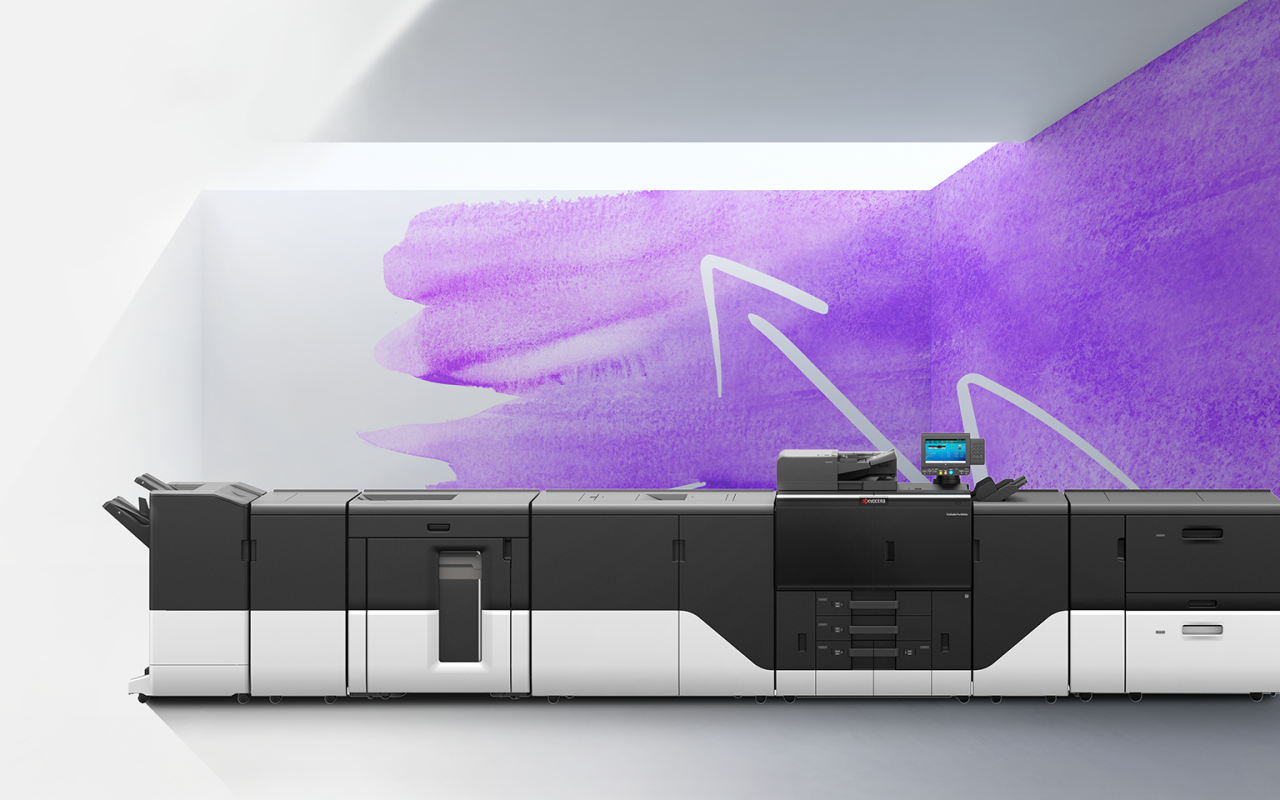
Typical applications: transactional communications, personalized direct mail, book and manual production, and institutional in-plant printing. Kyocera lists a maximum paper capacity of 14,310 sheets with optional feeding, plus finishing and workflow configurations that should be evaluated for each operation. Explore the official TASKalfa Pro 15000c specifications and options.
TASKalfa Pro 15000b — Monochrome Production
Up to 172 black-and-white images per minute for high-volume text-driven production. Official Kyocera specifications.
TASKalfa Pro Tandem — Higher-Volume Color Production
For commercial printers seeking greater output from a coordinated production environment, Kyocera introduced the TASKalfa Pro Tandem in September 2026. It combines two TASKalfa Pro 15000c engines to deliver up to 292 images per minute, with manufacturer-stated capacity of up to 5 million images per month. Its single-operator concept is intended for operations that need to scale production without simply adding separate standalone workflows.
Read Kyocera’s September 2026 TASKalfa Pro Tandem announcement. Configuration, demonstrations, regional availability, and support arrangements must be confirmed.
Other production configurations and graphic-arts equipment may be available. Model suitability, regional availability, and support must be confirmed.
Production Printing in Practice
See how organizations are applying Kyocera production inkjet to real workflows. These manufacturer-published customer examples illustrate different types of production work, not guaranteed results for every installation.
Commercial Printing
The Snowman Group: Kyocera highlights a Maine commercial printer using the TASKalfa Pro 15000c for reliable, consistent, high-volume production.
Educational Publishing
My Father’s World: Kyocera features this homeschooling curriculum publisher as an example of workbook and magazine production on inkjet.
Direct Mail
Graphcom: Kyocera shares a Pennsylvania direct-mail customer’s experience with its production-print technology.
Explore Kyocera’s production printing customer stories and application examples.
Kyocera Product Guides & Sales Literature
Current manufacturer resource: Kyocera’s TASKalfa Pro 15000c Download Center lists the TASKalfa Pro Family Brochure (10/2026), product literature, technical specifications, accessibility documentation, and drivers. Start here for current manufacturer materials.
Explore manufacturer information before planning your production environment. These resources provide device specifications, configuration options and application guidance.
- TASKalfa Pro 15000c — Official Digital Brochure (PDF)
- TASKalfa Pro 15000c — Production System & Configuration Brochure (PDF)
- TASKalfa Pro 15000b — Official Monochrome Product Information
- Kyocera Production Print Hub — Applications and Insights
Is Production Inkjet Right for Your Operation?
Consider these practical questions before selecting production equipment:
- Monthly demand: How many letter-equivalent impressions do you print, and what are the peak production periods?
- Job characteristics: What percentage is black-and-white, full color, variable-data or high-coverage graphics?
- Media & finishing: Which paper weights, coatings, sheet sizes, binding and stacking systems are required?
- Workflow: How are jobs received, queued, proofed, personalized and delivered today?
- Financial fit: What are your current costs for equipment, consumables, labor, outsourced work and downtime?
Plan the Entire Production Workflow
We review current volumes and growth, color mix, paper and finishing needs, print-management workflows, peak deadlines, installation space, ongoing support, and cost-per-job considerations. Production equipment is individually evaluated and quoted.
Common Production Printing Questions
Is production inkjet always cheaper than toner?
No. The answer depends on image coverage, print volume, paper, finishing, labor, maintenance, and the equipment configuration. We compare the cost of real production jobs rather than relying on a single advertised cost per page.
Can an inkjet press handle coated or specialty stocks?
Media compatibility differs by press, ink system, and paper type. Coated papers, heavy stocks, and high-coverage graphics should be tested against manufacturer-approved substrates before selecting a platform. A toner press or offset press may be better for certain jobs.
When does conventional offset still make sense?
Offset often remains attractive for very long, uniform runs, particular substrates, or specialized finishing. Production inkjet becomes especially compelling when jobs change frequently, require personalization, or need faster setup with digital workflows.
What if we already own a high-volume toner system?
Production inkjet can complement rather than automatically replace toner. We can evaluate which jobs should remain on toner, which could transition to inkjet, and whether the combined workflow improves capacity and operating economics.
Request a Production Print Assessment
A production print project should begin with the work your organization actually produces. Share the information below so we can discuss the right process, capacity, workflow, and potential economics—not simply a press speed rating.
- Current equipment and volume: Approximate monthly impressions, peak demand, and run lengths
- Applications: Transactional communications, direct mail, books, educational materials, in-plant jobs, or commercial printing
- Output mix: Black-and-white versus color, page coverage, and personalization needs
- Media and finishing: Paper stocks, coated media, binding, stacking, mailing, and finishing requirements
- Business objectives: Turnaround, labor, outsourcing, growth, and overall production costs
Talk with Charlestowne Digital
Tell us what you produce and where your current equipment falls short. Request a production print consultation and custom quote.
Specifications, equipment availability, demonstrations, sales, installation, and service arrangements are subject to confirmation and applicable authorization.
